Workflow Automation automates incident response and infrastructure management without code. Build workflows that respond to alerts, integrate with tools like AWS and Slack, and execute operational tasks automatically.
Requirements
To use Workflows, you need:
- A New Relic account
- Advanced Compute (aCCU) pricing plan
Important
Workflow Automation and secrets management are included with Advanced Compute (aCCU). If you're unsure whether you have aCCU, check your account settings or contact your account representative.
Key benefits
- Faster incident response: Automatically resize EC2 instances, roll back deployments, or restart services when alerts fire—no manual intervention required.
- Connect your tools: Integrate New Relic with AWS, Slack, Jira, ServiceNow, and any HTTP API to send enriched alert data where your team works.
- Add approval gates: Include human oversight in critical workflows—request team confirmation before scaling production infrastructure or executing rollbacks.
- Handle complexity: Use conditional logic, loops, and data transformations to automate your unique operational processes.
Get started
Choose your path based on what you want to build:
Deploy pre-configured workflows for common scenarios—sending reports to Slack, rolling back deployments, resizing EC2 instances, and more.
- Browse available templates.
- Select a template that matches your use case.
- Configure inputs (credentials, entity GUIDs, queries).
- Deploy and test.
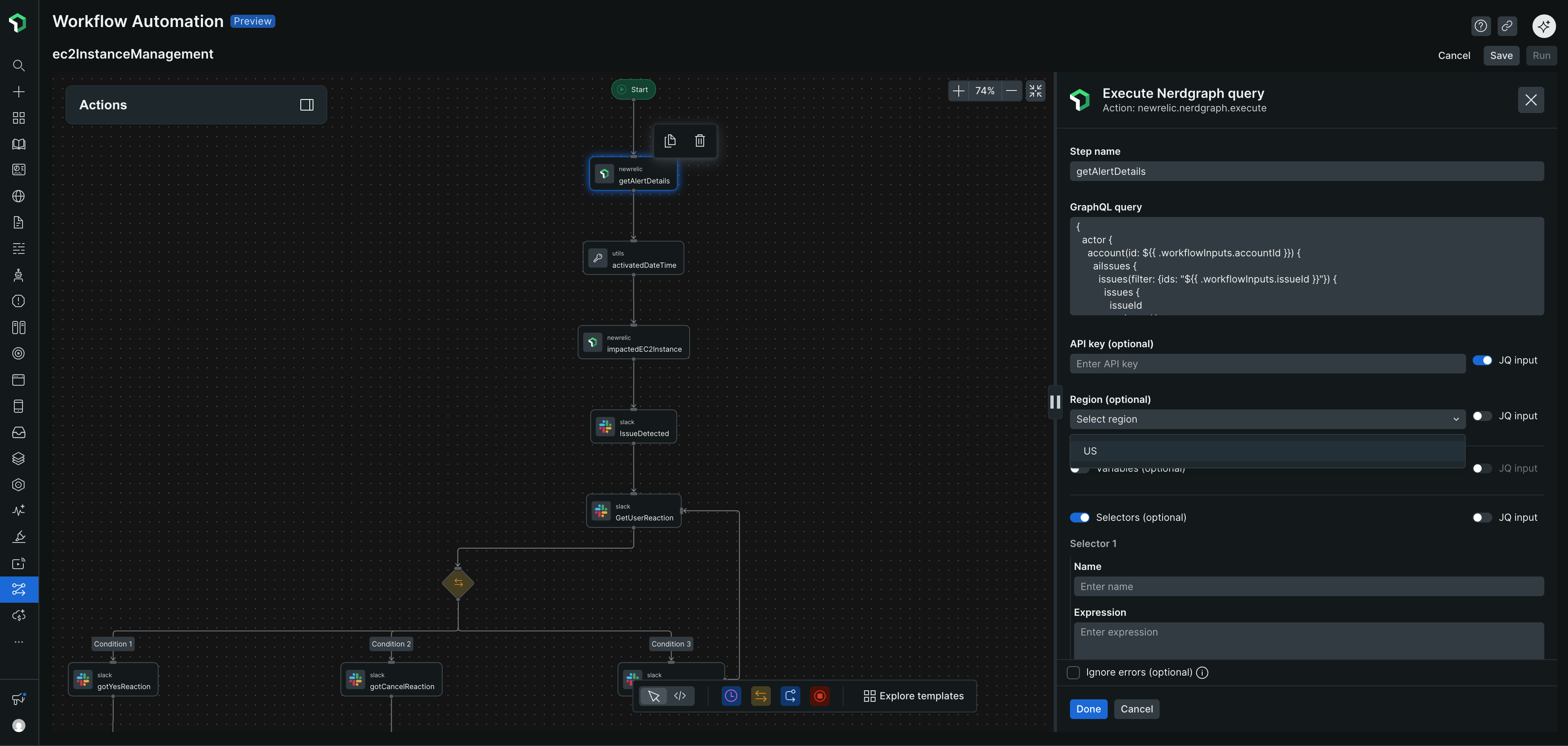
Build workflows from scratch using the drag-and-drop interface. Chain actions, add conditional logic, and integrate with your tools.
- Review the EC2 auto-resize example.
- Understand workflow patterns (switches, loops, approvals).
- Browse available actions.
- Build incrementally and test each step.
Configure credentials and notification channels so workflows can interact with external services.
AWS workflows: Set up AWS credentials (IAM roles, users, or session tokens).
Notifications: Create destinations (Slack, email, webhooks).
Trigger workflows
You can start workflows in three ways:
- From alerts: Automatically start workflows when alert conditions are breached
- On demand: Manually trigger workflows via API when needed
- On schedule: Run workflows automatically at specific times using cron expressions
For alert-triggered workflows, see Send notifications from workflows.
Common use cases
Category | Examples |
|---|---|
Incident response | Automatically resize EC2 instances when CPU usage is high, roll back failed deployments within minutes, restart services when error rates spike. |
Infrastructure management | Scale services on schedules, create and delete AWS resources, execute runbooks automatically when conditions are met. |
Notifications | Send enriched alerts to Slack with context and charts, generate scheduled reports as CSV, format data for dashboards. |
Integrations | Update Jira tickets when alerts fire, sync New Relic data to external dashboards, trigger third-party APIs based on conditions. |
Browse the workflow examples page for detailed scenarios and ready-to-use templates.
Related topics
Use a template
Deploy pre-configured workflows for common scenarios
Create your own workflow
Build custom workflows with conditional logic and integrations
Workflow entity overview
Trigger workflows from alerts, manually, or on a schedule
Actions catalog
Browse all available actions for AWS, New Relic, Slack, and more